
A training plan should be clear to the exerciser and practical for the trainer. Create programmes and routines in one place and use your own expertise to shape the content.
Give your training plan a clear structure
In the editor, you work with programmes, routines and exercises. These let you turn a training goal into individual sessions. A recognisable layout makes it easier to see which exercises belong together and what the plan is intended to do.
Start with the number of realistic training sessions and the available equipment. Then develop the content. This prevents a detailed plan that looks good on paper from becoming difficult to carry out in your client’s week.
Work from your method and adapt it to the person
The same training approach may be useful for different clients, but the details need not be identical. Consider experience, scheduling and what someone can actually do while training. Use the editor to make the plan fit.
A plan remains a work in progress after it starts. Discuss what is going well, what is unclear and which adjustments are needed. Software helps you organise the plan; coaching decisions remain yours.
Connect the plan to completed workouts
In Workouts Wizard, client programmes sit alongside workout history and exercise statistics. This gives you a starting point for evaluation: you discuss not only what you planned, but also which results were recorded.
For people who train independently, there is the app, where they can create their own routines and track workouts. Read more about the workout app and the differences between free use and Premium.
See how your existing plan fits
Choose one familiar programme for your first evaluation. Build a training day, add exercises and sets, then compare the structure with the workout you want to coach.
Request your free account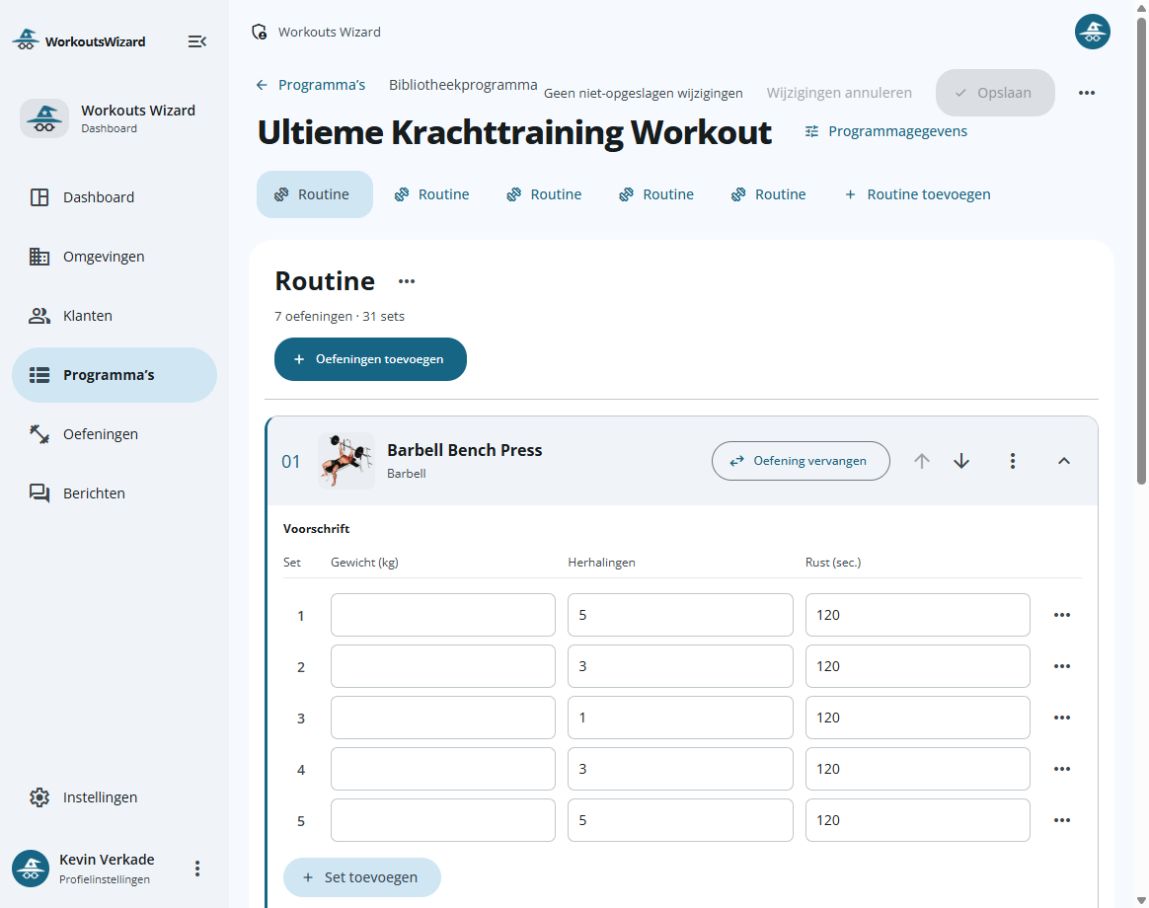
Explore your next steps
Getting started and switching to Workouts Wizard · Integrations and your data