
FOR PERSONAL TRAINERS
YOUR APPROACH.
IN EVERY PLAN.
Build programmes with training days, exercises and sets. Keep client information and workout history together, giving you a clear starting point for your next coaching conversation.
Lumen gives you the business environment for up to 5 stored clients. We will email an invitation to complete access.
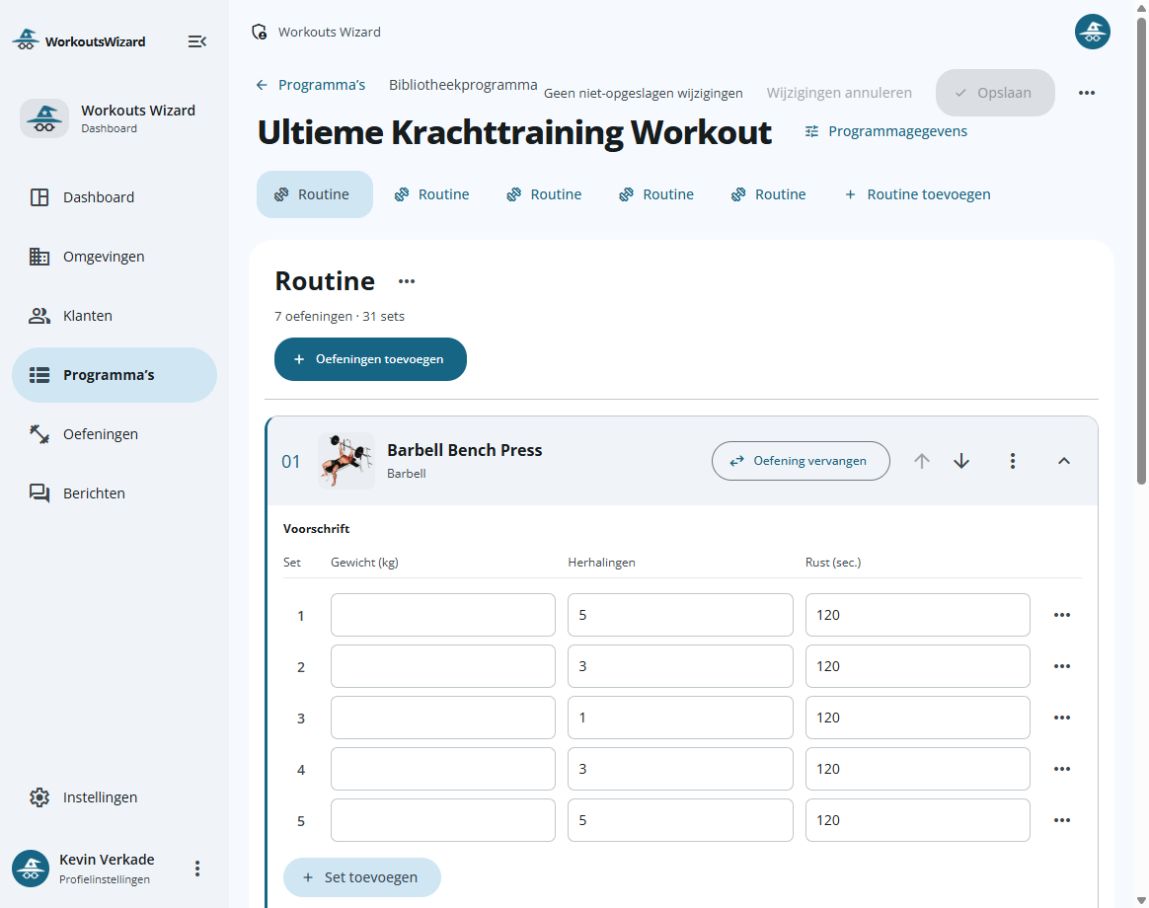
From your expertise to a programme you can use.
From programme to coaching conversation
Try the dashboard and app around one familiar workout. You decide how to use the plan and the recorded results.
Build the programme
Organise training days, exercises and sets in the dashboard. Specify repetitions, weight and rest for the session.
Explore the editor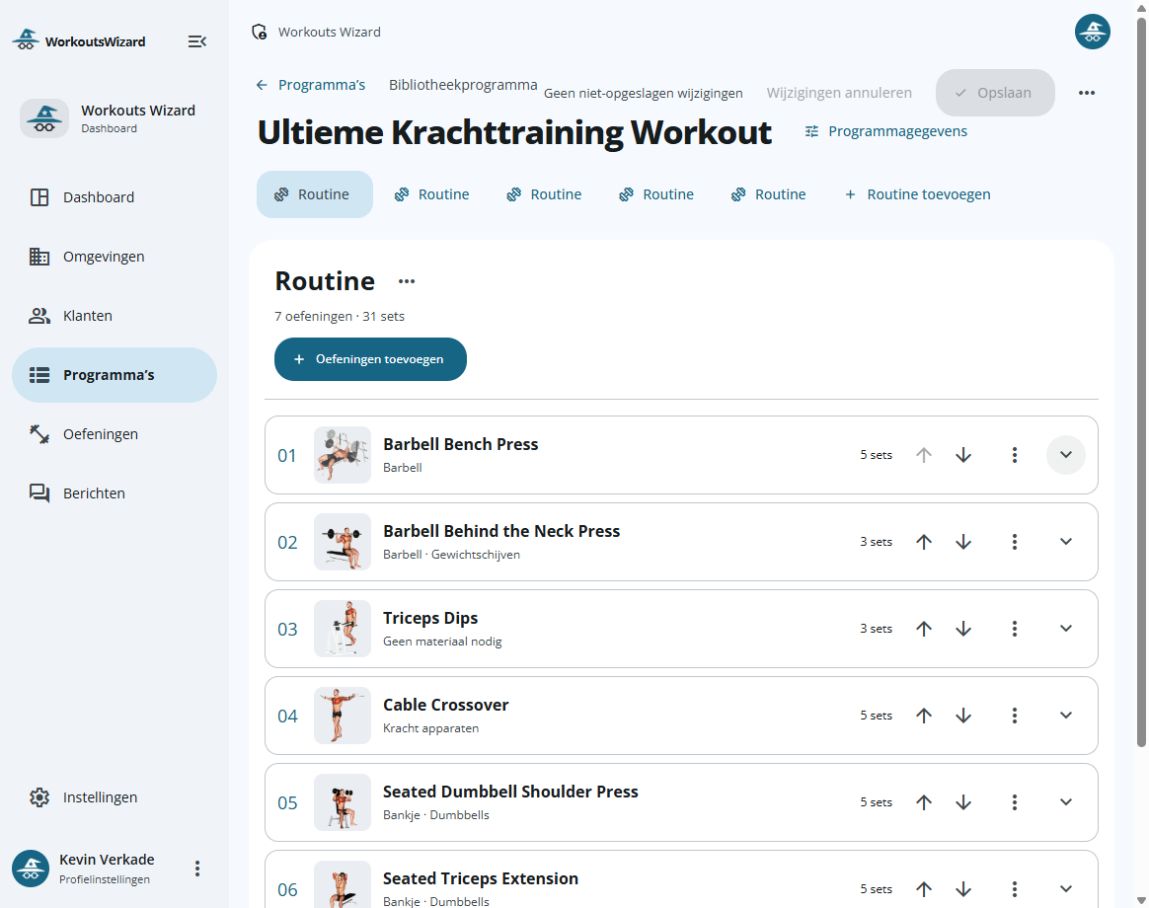
Dashboard programme editor with example training entries. Record the workout
In the app, record repetitions and weight and use the rest timer while training.
Explore the app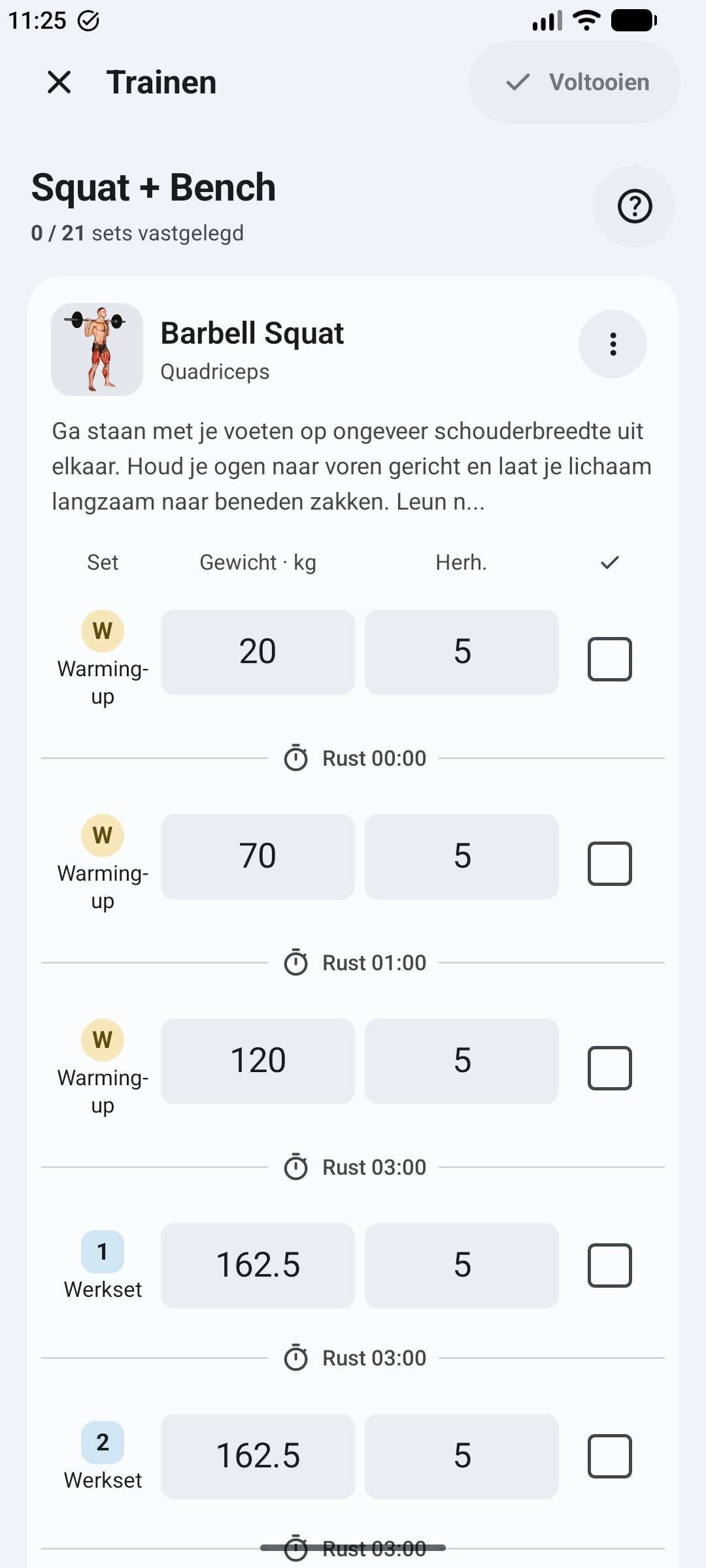
Actual app workout screen with example Barbell Squat entries. Review history together
Use workout history and exercise statistics for your next coaching conversation. Compare what was planned with what was recorded.
Prepare a coaching check-in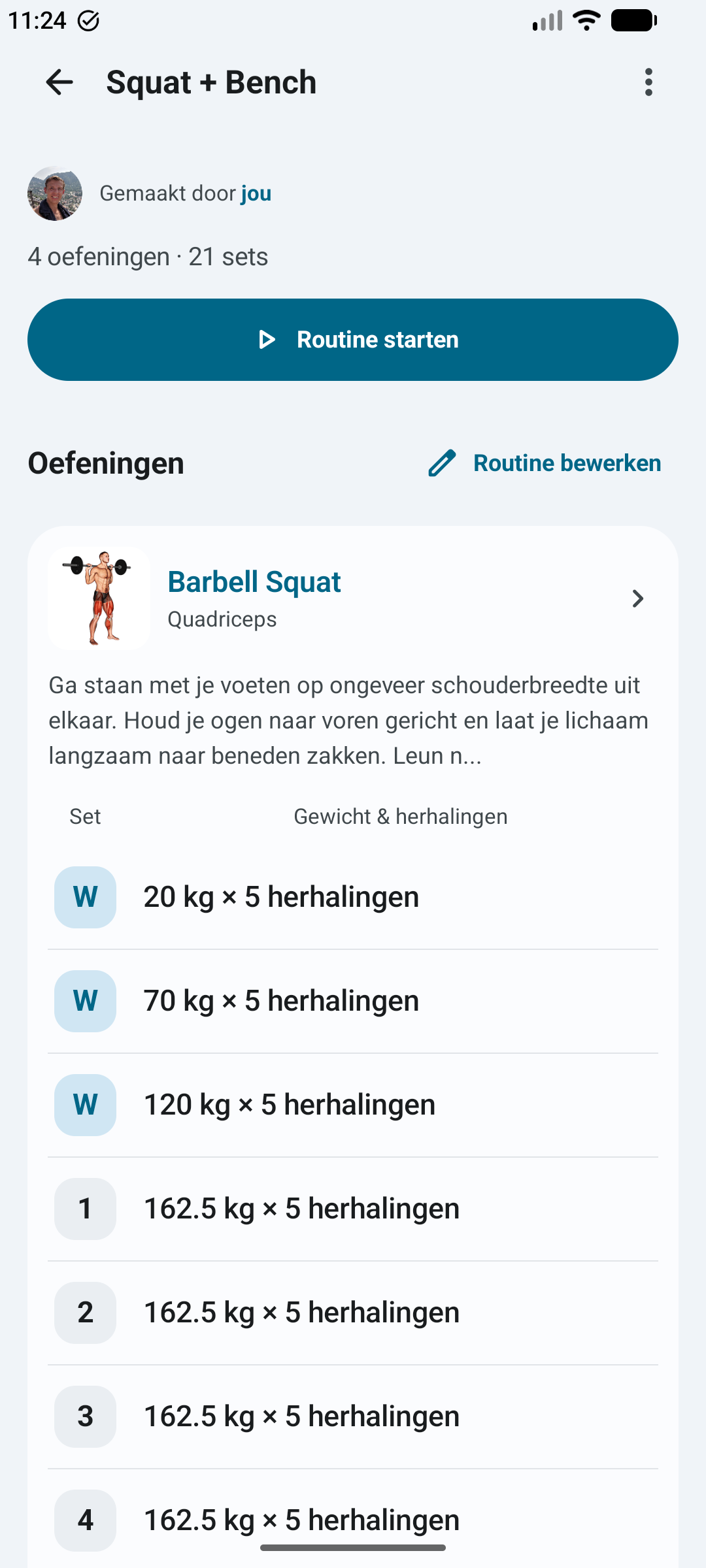
App programme view with example entries: plan context for discussing recorded history.
Tasks you can explore
| Task | What is available | Explore further |
|---|---|---|
| Build a programme | Training days, exercises, sets and rest settings. | Training plan editor |
| Prepare a client conversation | Client details, programme/workout notes and recorded workout history. | Member administration |
| Set up your first evaluation | A realistic checklist for your business account. | Getting started |
SEE FOR YOURSELF
SEE EXACTLY
WHERE TO START.
Explore the features of the dashboard and app. Take a closer look at a screen.
YOUR COACHING / 01
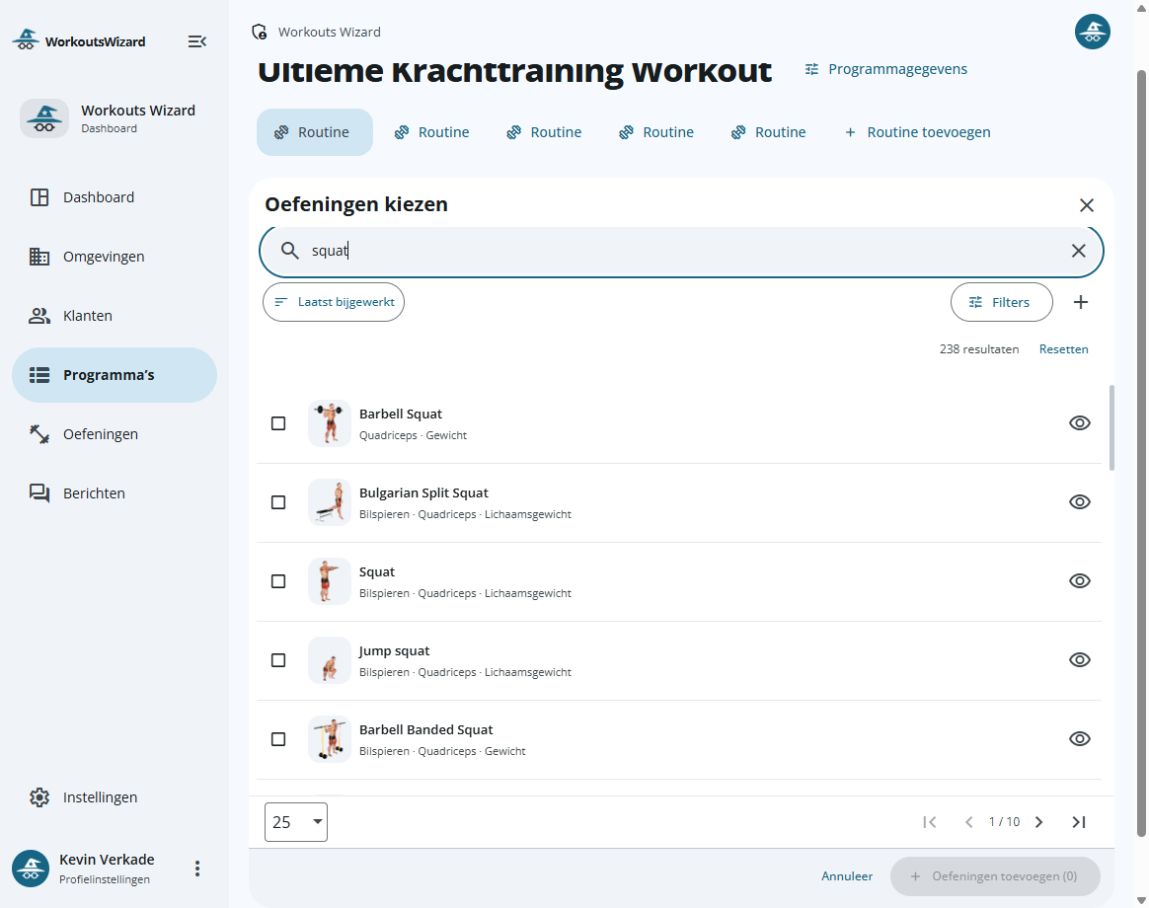
FIND THE EXERCISE.
BUILD YOUR PLAN.
Find an exercise, view the movement and choose what fits your programme.
- Search by name
- Illustrations and muscle groups
YOUR COACHING / 02
YOUR APPROACH.
CLEARLY ORGANISED.
Bring your training days and exercises together. Give your coaching approach a clear structure.
- Organise training days
- Bring exercises together
YOUR COACHING / 03
ATTENTION TO
EVERY SET.
Specify the sets, repetitions, weight and rest for each exercise. The details of your approach, all in one place.
- Weight and repetitions
- Rest per set
YOUR TRAINING / 01
A GOOD PLAN.
ALWAYS WITH YOU.
View a programme’s training days and exercises before you start.
- View training days
- Discover exercises
YOUR TRAINING / 02
YOUR NEXT SET.
WITHIN REACH.
Record your repetitions and weight, and keep track of rest while you train.
- Repetitions and weight
- Rest timer during your workout
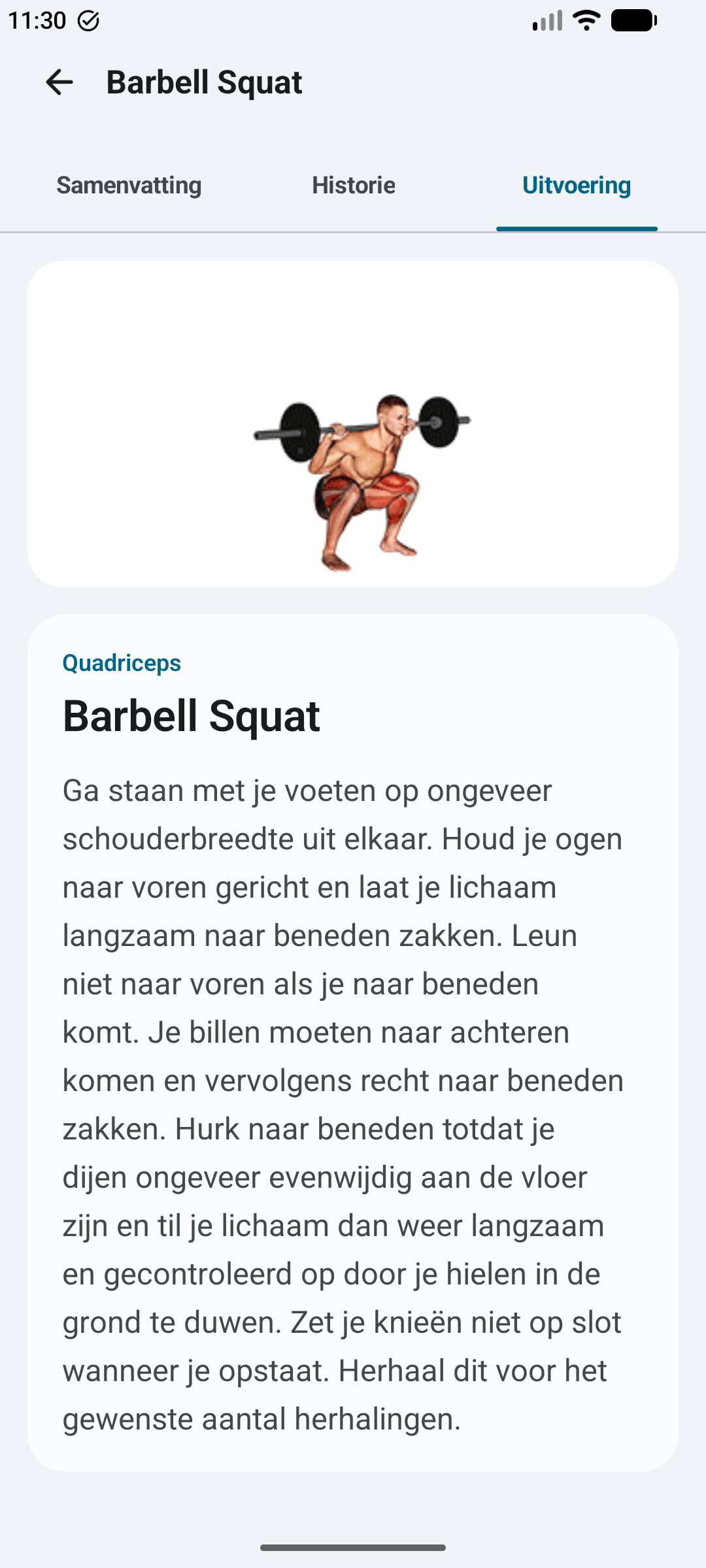
YOUR TRAINING / 03
KNOW WHAT
YOU ARE GOING TO DO.
View the movement and read the exercise instructions. Useful when you want to understand an exercise better.
- See the movement
- Instructions for your exercise
YOUR NEXT STEP
Does it fit your way of working?
Explore the business features and check the current price, client capacity and included functions before choosing.
GOOD TO KNOW
LET US
CLARIFY.
Can I build my own plans?
Yes. You create programmes with training days and choose exercises and sets in the editor. Your own knowledge and coaching approach remain the starting point.
What can I find for a client?
The dashboard includes client information, programmes, recorded workout history, and notes on programme exercises and recorded workouts. Use one familiar client situation to assess how those sections fit your coaching.
What does the free business account request provide?
You request a real Lumen account for up to 5 stored clients. We email an invitation to complete access. This is not a booking or personal app registration.
GIVE YOUR APPROACH
ROOM TO WORK.
Explore Workouts Wizard for your clients, members and team.